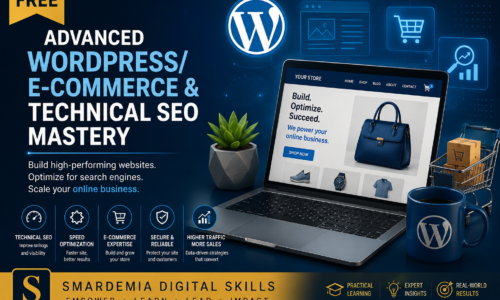
Course Title: Advanced WordPress/E-commerce & Technical SEO Mastery
Welcome to the next level of web design! You have mastered the basics; now it is time to build sites that sell and rank on Google. This course is for the freelancer ready to move past simple informational sites and into the lucrative world of e-commerce.
We will dive deep into WooCommerce to set up fully functional online stores, manage inventory, and securely process payments. We’ll also tackle Technical SEO, ensuring the sites you build are optimized for speed, structure, and search engine visibility. By the end of this course, you will be able to confidently charge premium rates for professional, revenue-focused web solutions.
📚 Curriculum Outline
We will structure this course around the three core areas that define an advanced WordPress freelancer: E-commerce Setup, Technical Optimization, and Advanced Security.
MODULE 1: E-commerce Implementation (WooCommerce)
L1: WooCommerce Setup & Product Types
- Understanding the E-commerce landscape and the WooCommerce advantage.
- Installing and configuring WooCommerce’s core settings.
- Setting up variable products, grouped products, and digital downloads.
L2: Payment Gateways & Shipping Configuration
- Integrating local payment gateways (e.g., Paystack, Flutterwave) and international options (e.g., PayPal).
- Mastering shipping zones, tax calculation, and local delivery methods.
L3: Inventory Management & Sales Funnel Basics
- Managing stock, setting low-stock thresholds, and running bulk inventory updates.
- Setting up simple sales funnels and optimizing the checkout experience.
MODULE 2: Technical SEO & Site Performance
L4: Advanced Keyword Research & On-Page SEO
- Moving beyond basic keywords: using tools to find high-intent, low-competition phrases.
- Mastering internal linking strategies and content hierarchy for better ranking.
L5: Technical SEO: Schema Markup & Site Structure
- Implementing Schema Markup (structured data) to tell Google exactly what your content is.
- Optimizing URLs, breadcrumbs, and site architecture for search engine crawlers.
L6: Speed Optimization & Core Web Vitals
- Understanding and improving Core Web Vitals (LCP, FID, CLS).
- Using caching plugins and image optimization techniques (WebP) to achieve fast loading times.
MODULE 3: Security, Maintenance & Project Management
L7: Advanced WordPress Security (Hardening)
- Implementing two-factor authentication (2FA) and changing default login paths.
- Securing forms, comments, and preventing common brute-force attacks.
L8: Automated Backup & Disaster Recovery
- Setting up automated cloud backups (e.g., UpdraftPlus to Google Drive).
- The essential checklist for restoring a website after a crash or hack.
L9: Advanced Client Handoff & Maintenance Plans
- Creating a professional client documentation folder.
- Structuring and selling profitable monthly maintenance and retainer packages.
- Final Quiz & Practical E-commerce Setup Assessment.
Certification: Your Professional Credential
The ultimate goal of this course is to provide you with a high-value, recognized professional credential. Your skills are validated not just by attendance, but by successful, practical application.
Earning Your Professional Certificate
- Rigorous Assessment: Your certification is earned by successfully completing the Final Project Assessment (or final quiz/project) for this course. This assessment is a comprehensive, real-world task designed to test your mastery of the skills taught.
- Passing Standard: A minimum passing grade of 70% is required on the Final Assessment to ensure the highest standard of skill validation.
- Professional Validation: Upon passing, you will be awarded the official Certificate of Completion from Smardemia Digital Skills Training. This certificate is a powerful, verifiable asset you can confidently add to your resume, LinkedIn profile, and client proposals, signifying your expertise in this crucial digital skill.
🎓 Request your free Certificate of Completion 👉 https://forms.gle/mTAX6EmQG6GgvhJE9
💬 Have a question or want to share your progress? Join our Student Discussion Forum.
Features
- WooCommerce Certification: Set up a live, fully functional e-commerce store with secure payment gateways.
- Technical SEO Mastery: Learn to implement Schema Markup and structured data for superior Google ranking.
- Speed Optimization: Achieve top scores on Google's Core Web Vitals to ensure fast site loading.
- Advanced Security Plan: Implement professional-grade hardening techniques (2FA, backups) to protect client assets.
- Monetization Strategy: Learn how to structure and sell profitable monthly website maintenance and security packages.
Target audiences
- Freelance web developers looking to increase their rates by offering specialized e-commerce and SEO services.
- Entrepreneurs and small business owners who want to launch their own secure, high-performing online stores.
- Learners aiming to bridge the gap between basic web design and high-value technical consultation.
- Graduates of CalistaBuildsSkills.org seeking a professional specialization for the job market.
Requirements
- Successful completion of the Digital Skills & Web Design Training course (or equivalent basic WordPress knowledge).
- Familiarity with the WordPress Dashboard, installing themes, and using a page builder (e.g., Elementor).
- Access to a computer with reliable internet and an editor (Google Docs or Word) for planning documents.
Curriculum
- 3 Sections
- 11 Lessons
- 5 Hours
- Module 1: E-commerce Implementation (WooCommerce).3 Items
- Module 2: Technical SEO & Site Performance.6 Items
- 2.1Lesson 4: Advanced Keyword Research & On-Page SEO120 Minutes
- 2.2Lesson 5: Technical SEO: Schema Markup & Site Structure.120 Minutes
- 2.3Lesson 6: Advanced Product Listing & Management120 Minutes
- 2.4Lesson 7: Speed Optimization & Core Web Vitals120 Minutes
- 2.5Lesson 8: Advanced WordPress Security (Hardening)120 Minutes
- 2.6Lesson 9: Automated Backup & Disaster Recovery90 Minutes
- Module 3: Project Management & Client Handoff3 Items
FAQs
Instructor