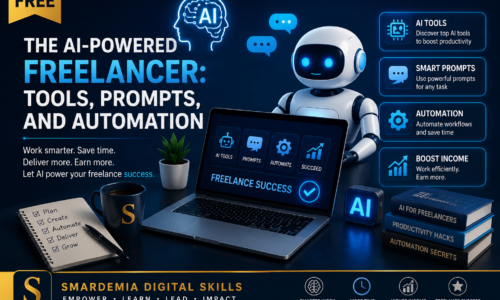
This course is designed to take students beyond basic ChatGPT use, teaching them how to integrate AI tools into their digital marketing, web design, and business workflows to increase speed and professionalism.
Module 1: AI Fundamentals and the Freelancer Mindset
- Lesson 1.1: What is Generative AI?
- Understanding Large Language Models (LLMs) and Image Generators.
- The ethics of using AI (plagiarism, bias, data privacy).
- Lesson 1.2: Essential AI Tools for Freelancers (Setup)
- Setting up accounts with ChatGPT/Claude, Midjourney/DALL-E, and a basic AI editing tool (e.g., Canva Magic Studio).
- Organizing your AI tools for a streamlined workflow.
- Lesson 1.3: The 10x Freelancer: AI for Productivity
- Identifying repetitive tasks that AI can automate (e.g., drafting emails, generating social captions).
- Setting expectations: Understanding the “AI-Human Loop” (AI creates, human refines).
Module 2: Prompt Engineering Mastery
- Lesson 2.1: The Anatomy of a Perfect Prompt (The “R-T-F-C” Framework)
- Role: Assigning a persona (e.g., “Act as a technical SEO specialist”).
- Task: Defining the goal (e.g., “Draft a landing page headline”).
- Format: Specifying the output (e.g., “List five options in a bulleted list”).
- Context/Constraints: Providing background details and limitations (e.g., “Must be under 15 words and target new clients”).
- Lesson 2.2: Advanced Prompting Techniques
- Using “Chain-of-Thought” prompting for complex tasks (asking AI to reason step-by-step).
- Iterative refinement: How to refine AI output with follow-up prompts.
- Lesson 2.3: Building a Prompt Library (Your Freelance Asset)
- Creating reusable, high-quality prompts for common client requests (e.g., website copy, SEO descriptions, brand voice guides).
Module 3: AI for Digital Marketing & Web Content
- Lesson 3.1: AI for SEO and Keyword Research
- Using AI to generate long-tail keyword ideas and clusters.
- Drafting high-ranking Meta Descriptions and Title Tags.
- Lesson 3.2: AI for Social Media and Email Marketing
- Generating 30-day content calendars and captions in different brand voices.
- Creating effective Email Subject Lines and Call-to-Actions (CTAs).
- Lesson 3.3: AI for Website Copy and Case Studies
- Drafting professional About Us pages and product descriptions.
- Using AI to restructure client feedback into compelling case studies.
Module 4: AI for Visuals and Design Workflows
- Lesson 4.1: Creating Images with Text-to-Image AI (Midjourney/DALL-E)
- Writing effective prompts to generate stylized images (e.g., product mockups, hero banners).
- Understanding aspect ratios and artistic styles.
- Lesson 4.2: AI in the Canva Workflow
- Using Canva’s Magic Studio for quick background removal, text-to-image, and auto-resize.
- Creating custom AI-generated graphics for social media and blog posts.
- Lesson 4.3: Generating UX/UI Wireframes and Mockups
- Using AI tools to generate basic HTML/CSS or Figma components from a text description.
- Lesson 4.4: Image-to-Video and Talking Avatars
- Using AI tools for converting static images into dynamic clips.
Module 5: AI for Business and Client Management
- Lesson 5.1: Proposal and Pitch Drafting
- Using AI to quickly customize a boilerplate proposal with client-specific language.
- Drafting professional follow-up emails and meeting summaries.
- Lesson 5.2: AI for Idea Brainstorming and Strategy
- Using AI as a “consultant” to identify gaps in a client’s business or digital strategy.
- Generating quick pricing and scope-of-work suggestions.
- Final Assessment: AI Freelancer Challenge
- A practical assessment where the student uses multiple AI tools and effective prompts to complete a fictional client brief (e.g., “Create a brand identity, three social posts, and a landing page draft for a new shoe store”).
Certification: Your Professional Credential
The ultimate goal of this course is to provide you with a high-value, recognized professional credential. Your skills are validated not just by attendance, but by successful, practical application.
Earning Your Professional Certificate
- Rigorous Assessment: Your certification is earned by successfully completing the Final Project Assessment (or final quiz/project) for this course. This assessment is a comprehensive, real-world task designed to test your mastery of the skills taught.
- Passing Standard: A minimum passing grade of 80% is required on the Final Assessment to ensure the highest standard of skill validation.
- Professional Validation: Upon passing, you will be awarded the official Certificate of Completion from Smardemia Digital Skills Training. This certificate is a powerful, verifiable asset you can confidently add to your resume, LinkedIn profile, and client proposals, signifying your expertise in this crucial digital skill.
🎓 Request your free Certificate of Completion 👉 https://forms.gle/mTAX6EmQG6GgvhJE9
💬 Have a question or want to share your progress? Join our Student Discussion Forum.
Features
- Learn the R-T-F-C Prompt Engineering Framework for professional results.
- Hands-on training with ChatGPT, Midjourney, and Canva's Magic Studio.
- Practical modules on AI integration for SEO, social media, and client proposals.
- Final practical assessment: AI Freelancer Challenge to build a complete client deliverable.
- 100% Free and self-paced access.
Target audiences
- Digital marketing freelancers looking to drastically reduce content creation time.
- Web designers (WordPress/Figma) aiming to use AI for faster mockup and copy generation.
- Students seeking to master modern prompt engineering for competitive advantage.
- Freelancers who want to automate repetitive business tasks like email and proposal writing.
Requirements
- Access to a laptop or desktop computer.
- Reliable internet connection.
- Basic experience with digital freelancing or marketing (e.g., completion of the Digital Skills & Web Design course).
- A free-tier account for various generative AI platforms (e.g., ChatGPT, Canva).
Curriculum
- 6 Sections
- 17 Lessons
- 5 Hours
Expand all sectionsCollapse all sections
- Module 1: AI Fundamentals and the Freelancer Mindset3 Items
- Module 2: Prompt Engineering Mastery3 Items
- Module 3: AI for Digital Marketing & Web Content3 Items
- Module 4: AI for Visuals and Design Workflows4 Items
- Module 5: AI Integration, Ethics, and the Freelancer Final Challenge3 Items
- 🏆 The Master Project: Your Final Assessment2 Items
FAQs
No. You will only need to sign up for the free tiers of the primary generative AI platforms, such as ChatGPT and Canva. These free accounts offer enough functionality to complete all course lessons and the final assessment.
No. This course is 100% practical application. We focus on using existing, no-code AI tools to accelerate your freelance work, not on coding or developing AI models.
Yes! This course is perfect for you. We start with the basics of what AI is and rapidly move into advanced prompt engineering, so you learn how to get professional-grade results, even if you are a beginner.
You will learn to integrate AI to produce faster and higher-quality client deliverables (like content, designs, and strategies). This speed and professionalism allow you to take on more work and charge higher rates, increasing your competitiveness.
This is our custom, structured method for writing effective AI prompts. It stands for Role, Task, Format, and Context. You will master this framework to ensure the AI output is always professional, accurate, and relevant to your client's needs.
Instructor